 SoKal
SoKal
8 Best Shared Calendar Apps for Friends & Family (2026)
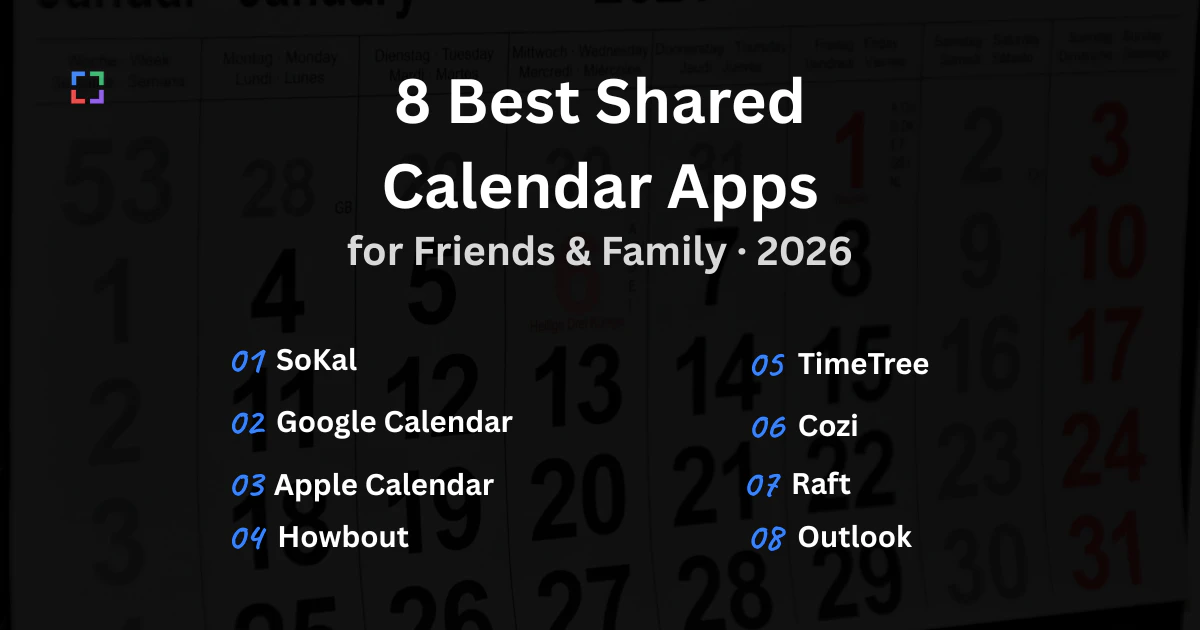
The short version, if you read nothing else. For a friend group: SoKal or Howbout. For a couple: Raft, or Apple Calendar if you both have iPhones. For a family with kids: Cozi. For work: Outlook Calendar or Google Calendar. And if you want the social side without giving up a calendar you can actually live in, SoKal is the social calendar you can use on every device.
Those five answers cover most people, but "shared calendar" hides two very different products. Some of these apps are full calendars that happen to share: you keep your whole life in them, and sharing is a permission you grant. Others are planning layers that sit on top of the calendar you already have: they never hold your appointments, they just work out when your group is free. Picking the wrong category is why so many of these apps get downloaded and abandoned in a week. Below, every entry says which one it is.
One thing to name up front: SoKal is our app. We've included it because we think it earns its spot, and we've tried to be fair to every app here. Several of the apps below are better than us at their particular job, and we say so in their sections. We haven't invented a rating system to put ourselves at the top of it.
Shared calendar apps compared
Here is the whole list at a glance, in the order the sections below follow. On a phone, scroll the table sideways to see every column, or tap an app name to jump straight to its section.
| App | Best for | Platforms | Price | Standout feature |
|---|---|---|---|---|
| SoKal | Friend plans and your real calendar in one app | iPhone, iPad, Android, Mac, Windows (web app), Web | Free | Private by default, share event by event |
| Google Calendar | People who already live in Google | iPhone, iPad, Android, Web | Free with a Google account | Five permission levels per calendar |
| Apple Calendar | Households where everyone is on Apple | iPhone, iPad, Mac, Windows (iCloud for Windows), Web (via iCloud.com) | Free with an Apple device | Family Sharing's automatic shared calendar |
| Howbout | Friend groups willing to all install one app | iPhone, Android | Free; Howbout+ subscription optional | A free/busy overlay for your whole group |
| TimeTree | Households, clubs and teams sharing one calendar | iPhone, Android, Web | Free with ads; paid Premium tier | A chat thread attached to every event |
| Cozi | Families with kids and a lot of logistics | iPhone, iPad, Android, Web | Free with ads; paid Gold tier | Calendar, shopping lists and meal plan in one |
| Raft | Couples and two or three close friends | iPhone | Not published on their site | Share single events out of your iPhone calendar |
| Outlook Calendar | Anyone whose calendar is mostly work | iPhone, iPad, Android, Mac, Windows, Web (outlook.com) | Free with a Microsoft account | Real native apps on every desktop |
How we chose
There is no score out of ten here, because the honest answer depends on your group rather than on the app. These are the six things we actually checked, and the questions worth asking before you install anything:
- Platforms, including the desktop. Every app on this list runs on a phone. Far fewer are usable on a laptop, and "works in a browser" and "has a real app" are not the same experience. The badge row in each section shows all six platforms, so you can compare without reading the fine print.
- Sharing controls. Can you share one event, or only a whole calendar? Can a friend see that you're busy without seeing why? All-or-nothing sharing is the single most common reason people stop sharing.
- Privacy defaults. What happens if you install it and change no settings? An app that shares by default and an app that hides by default lead to very different habits six months in.
- Syncing with the calendar you already keep. If the app can't read your existing Google or Apple calendar, you now maintain two calendars, and one of them will quietly go stale. That is usually the new one.
- Price, and who pays it. Free means different things: free with ads, free for you but paid for the person you invited, or free until you want to look more than 30 days ahead.
- How hard it is to invite someone. Every account, download and verification code between the link and the "yes" costs you replies, and it costs you most from the friends who reply last.
We use SoKal daily, so our experience with it is deeper than with the others. For the rest, we've used each app and checked its own site and store listing. Where a price or a feature wasn't something we could confirm from an app's own materials, we've left it out rather than guess, so nothing below is invented.
SoKal: a real calendar that is also social
Best for: friend groups who want one calendar they can open on a phone and a laptop.
- iPhone available
- iPad available
- Android available
- Mac available
- Windows (web app) available
- Web available
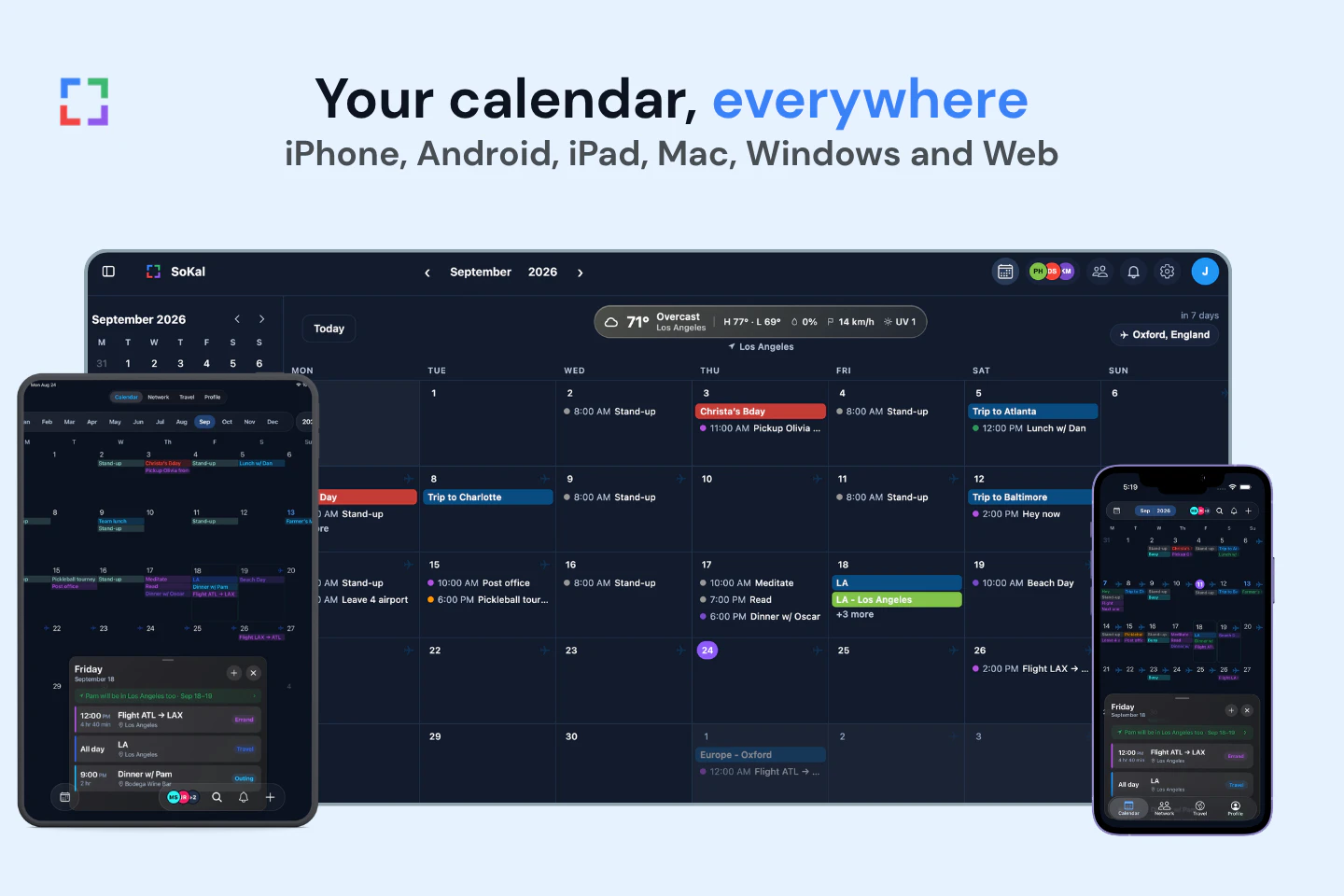
SoKal is the social calendar you can use on every device. That is the whole design brief. Most social calendar apps are phone-only, which means the moment you sit down at a desk you go back to the calendar that doesn't know any of your friends. SoKal runs on iPhone, iPad, Android, Mac and the web, and the web calendar installs as a desktop app on Windows, so the social layer and the calendar you actually work from are the same thing.
It starts private. You connect Google Calendar or Apple Calendar, and your existing events come in to build your availability, but friends see busy time with no detail attached. Work blocks, appointments and everything else stay yours. Then you choose, event by event, what to share: the trip to Austin, the Saturday hike, the concert you have a spare ticket for. That is the opposite of how calendar sharing normally works, where you hand over a whole calendar and hope people politely ignore the private parts. We wrote up exactly what syncing does and doesn't expose in What happens when you sync your calendar to SoKal.
Because it knows both your calendar and your friends, it can answer the question a shared calendar is really for: who is free on Saturday, and who is in town next month. You can post a plan as open and let people join rather than deciding the guest list up front, and invites go out as a link that works without the recipient installing anything. Trips also build a travel map, which is the part people use more than we expected.
Key features
- Two-way sync with Google Calendar and Apple Calendar
- Private by default; friends see free/busy, not details
- Per-event sharing, with open plans anyone in your circles can join
- Friend availability and "who's in town" views
- Invites by link, SMS or WhatsApp with no signup wall for guests
- Travel map of the countries, states and cities you've been to
Pros
- Genuinely usable on a desktop, not just a phone
- Private by default, and sharing is per event rather than per calendar
- Guests can RSVP without an account or a download
- Free, with no premium tier gating the basics
Cons
- Smallest network here: your friends probably aren't on it yet
- No shopping lists or meal planning, so it won't replace Cozi for a busy household
- On Windows it's the installable web app, not a native build
- Not a work calendar: no room booking, no scheduling links
- Platforms
- iPhone, iPad, Android, Mac, Windows (web app), Web
- Pricing
- Free.
Try it in a browser at sokal.app/calendar, or read more about the project on the SoKal homepage.
Google Calendar: the one almost everyone already has
Best for: people already living in Google who mainly need to share with coworkers.
- iPhone available
- iPad available
- Android available
- Mac (browser only) not available
- Windows (browser only) not available
- Web available
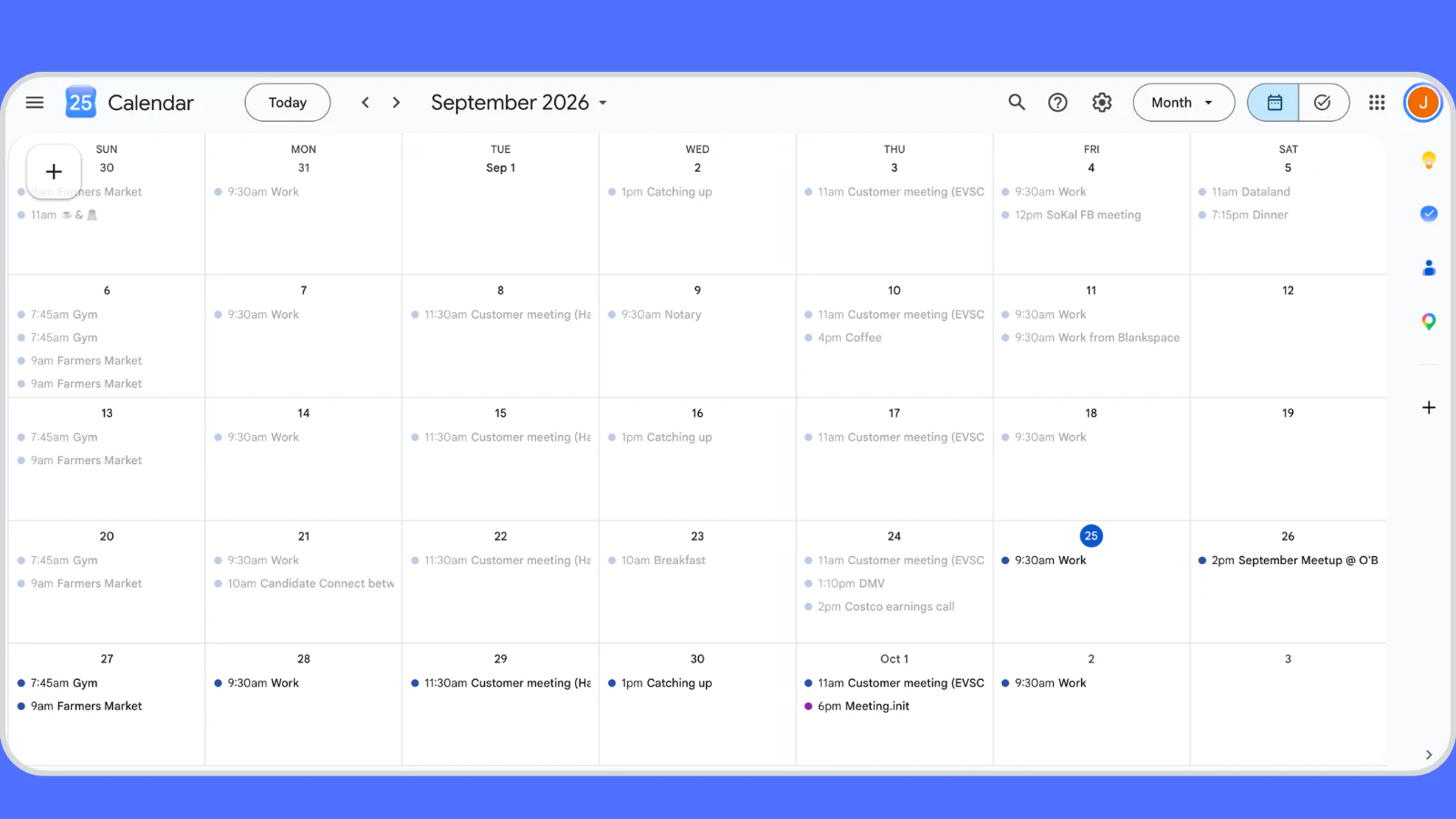
Google Calendar's advantage is enormous and boring: everybody has it. No recruiting, no "can you install this", no explaining what the app is. Sharing is an email address away, and the permission model is the most thought-through on this list. You can grant free/busy only, all event details, the ability to make changes, or full management, per person, per calendar. You can also create a separate shared calendar that a group subscribes to, which is the right shape for a family, a band or a sports team.
The limit is that those permissions are set on a calendar. You can mark a single event Private, and anyone below "Make changes and see event details" then sees it only as Busy. But Private hides that event from everyone you've shared with, and it's opt-out: every event shows unless you remember to hide it. You can't show one friend your Denver trip and show another friend nothing. The workaround for that is a second calendar for shareable things that you remember to file events into, which some people do happily and most people abandon within a month. There's also no view that answers "which of my friends are free Saturday". Find a time exists, but it is built for booking a meeting with coworkers, not for browsing a friend group's open evenings. We went through this in detail in Google Calendar sharing: what it does (and doesn't do).
Worth knowing about the desktop: there is no native Google Calendar app for Mac or Windows. It is excellent in a browser, and it syncs into Apple Calendar and Outlook if you want a native window, but the Google experience itself is a tab.
Key features
- Five sharing permission levels, set per person
- Group calendars that multiple people subscribe to
- Free/busy sharing that hides event details
- Works with essentially every other calendar app and service
- Family group with a shared family calendar
Pros
- Your friends and coworkers are already on it
- The clearest permission model of any app here
- Free, with no ads in the calendar
- Everything else syncs with it
Cons
- Sharing is per calendar; Private hides an event from everyone at once
- No "who's free" view for a group of friends
- No native Mac or Windows app
- Sharing a personal calendar with a friend feels like a work request
- Platforms
- iPhone, iPad, Android, Web
- Pricing
- Free with a Google account.
Apple Calendar: the best option if everyone is on Apple
Best for: households and couples where every device is an Apple device.
- iPhone available
- iPad available
- Android (no app) not available
- Mac available
- Windows (iCloud for Windows) available
- Web (via iCloud.com) available
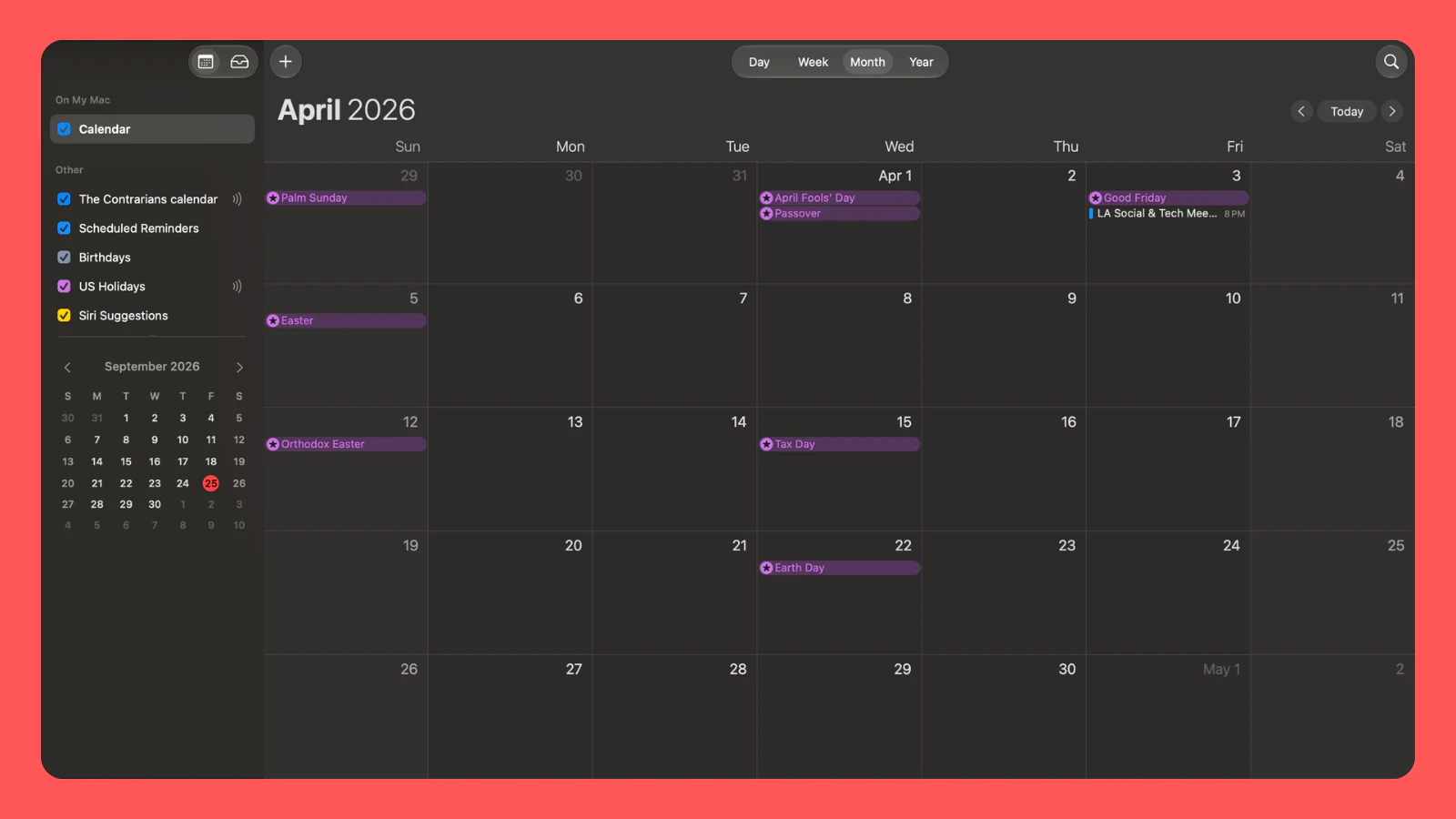
If your household is entirely Apple, this is the least effort for the most result. iCloud shared calendars let you share a calendar with named people and decide whether each of them can edit or only view, and Family Sharing goes one better: set up a family group of up to six people and a shared Family calendar appears on everyone's devices automatically. Nobody installs anything, because it is already there, and it works identically on iPhone, iPad and Mac.
The wall is Android. There is no Apple Calendar app for Android, and no good way for an Android friend to join an iCloud shared calendar as a real participant. You can publish a calendar as a public read-only link that anyone can subscribe to, but that is a one-way feed, not shared editing. Windows is workable through the iCloud app, which pushes your calendar into Outlook, and iCloud.com covers you in a browser, but neither feels like the Mac experience.
It is also, by design, not social. Apple Calendar shares calendars between people who have agreed to share calendars. It has no concept of which of your friends is free this weekend, no way to share a single event with two people out of your household, and nothing that surfaces plans you might want to join.
Key features
- iCloud shared calendars with per-person view or edit access
- Family Sharing for up to six people, with an automatic shared calendar
- Public read-only calendar links for anyone, including Android users
- Built into every Apple device, with nothing to install
Pros
- Already on every device your household owns
- Family Sharing is the fastest setup on this list
- Free, with no ads and no upsell in the calendar itself
- Native and fast on Mac, iPhone and iPad alike
Cons
- No Android app, which rules out most mixed friend groups
- Sharing is per calendar, so one private appointment forces a second calendar
- Windows support is indirect and fiddly
- No social features at all: no availability, no plans to join
- Platforms
- iPhone, iPad, Mac, Windows (iCloud for Windows), Web (via iCloud.com)
- Pricing
- Free with an Apple device. iCloud+ (from $0.99/month in the US) buys storage, not calendar features.
Howbout: the friend group planner
Best for: a friend group where everyone is willing to install the same app.
- iPhone available
- iPad not available
- Android available
- Mac not available
- Windows not available
- Web not available
Howbout is the closest app here to what we're building, so we'll be direct about it: it's good. You connect Apple, Google or Outlook, and it shows the windows when your group is actually free, which is the real bottleneck in most plans. Every plan gets its own chat, there are polls for the details nobody has decided, a mode for tonight's spontaneous plans, and photos attach to the event afterwards. The core app is free, with a Howbout+ subscription for themes, extra colours, widgets, and a screenshot-to-plan feature.
It is a planning layer rather than a calendar. It reads your existing calendar and never asks to replace it, which is a reasonable and deliberate choice: you keep Google or Apple for your life, and Howbout for your group. The cost of that choice is that Howbout is a second app you check, and the social graph only works if everyone joins. The invite-driven onboarding is the most common complaint in its reviews. If your friends are already on it, that is a non-issue and it's a strong pick. If they aren't, you're recruiting before you're planning. If that's why you're shopping around, I sorted the Howbout alternatives by the reason people switch.
The other limit is the desktop. Howbout is a phone app: there's no Mac version, no Windows version and nothing in a browser. If your group does its planning from a laptop, that's a real constraint rather than a detail.
Key features
- Group availability overlay built from everyone's connected calendars
- Connects Apple, Google and Outlook calendars
- A chat thread and polls per plan
- Spontaneous mode for tonight
- Shared photos on past events
Pros
- Purpose-built for friend groups, and it shows
- Shows free windows without exposing what anyone is doing
- Free tier covers the planning features that matter
- Reads your existing calendar instead of replacing it
Cons
- Closed loop: everyone you plan with has to be in the app
- Phone only: no Mac, Windows or web version
- A second app on top of your real calendar
- Howbout+ pricing varies by region and isn't published as a flat rate
- Platforms
- iPhone, Android
- Pricing
- Free; Howbout+ subscription optional. The price varies by region and platform, and is shown in the App Store or Google Play before you confirm.
TimeTree: a shared calendar with a conversation in it
Best for: a household, club or small team that wants one calendar everyone edits.
- iPhone available
- iPad not available
- Android available
- Mac (browser only) not available
- Windows (browser only) not available
- Web available
TimeTree's idea is that a shared calendar should also be where you talk about the things on it. Each event carries a comment thread, so the back and forth about timing and logistics sits on the event rather than scrolling away in a group chat. You can run several shared calendars with different groups, the member count is unlimited, and there's an activity feed so you can see what changed without hunting for it.
It's the most flexible of the group calendars here in terms of who you share with: a household, a running club, a shift rota and a family can all be separate calendars in the same app. It also has a genuine web version, which several apps on this list don't.
The trade-offs are ads on the free tier and the fact that Premium is per person, so a household that all wants it ad-free pays several times over. And like Howbout, it's a parallel calendar: how well your existing Google or Apple calendar flows into it is worth testing with your own account before you move a family onto it.
Key features
- A comment thread on every event
- Multiple shared calendars for different groups
- Unlimited members per calendar
- Activity feed of what changed
- Web version alongside the phone apps
Pros
- The discussion lives on the event, which genuinely reduces group-chat noise
- One app can hold several unrelated shared calendars
- Generous free tier with no member limit
- Usable in a browser, not just on a phone
Cons
- Ads on the free tier
- Premium is per user, so a household pays repeatedly
- A second calendar to maintain alongside your main one
- Nothing that answers "who is free this weekend" across a friend group
- Platforms
- iPhone, Android, Web
- Pricing
- Free with ads; TimeTree Premium removes them.
Cozi: the family logistics hub
Best for: a family with kids, where the calendar is only half the problem.
- iPhone available
- iPad available
- Android available
- Mac (browser only) not available
- Windows (browser only) not available
- Web available
Cozi has been the default family organiser for years, and the reason is that it never pretended the problem was only scheduling. Alongside the shared calendar, every family member gets a colour, and there are shared shopping lists, to-do lists, a meal planner and a family journal. In a household with two working parents and school-age kids, the list is often the thing that gets used most.
It's built firmly around one household rather than a friend group. Everyone in the family shares the same calendar and sees all of it, which is exactly right for coordinating pickups and wrong for anything you'd rather your teenager not see. There's no per-event privacy and no free/busy mode.
Two things to check before committing. The free tier carries ads, which in a family app some people find grating. And Cozi has moved more of the basics behind Cozi Gold over time, so confirm what the current free tier includes before you build your household's routine on it.
Key features
- One shared family calendar with a colour per person
- Shared shopping and to-do lists
- Meal planner and recipe box
- Family journal
- Reminders and change notifications to every member
Pros
- Handles the whole household, not just the calendar
- Simple enough that everyone in the family will actually use it
- Works on phones and in a browser
- Free tier is usable for a small household
Cons
- Ads on the free tier
- No privacy within the family: everyone sees everything
- Built for one household, not for friend groups
- More of the basics have moved behind Gold over time
- Platforms
- iPhone, iPad, Android, Web
- Pricing
- Free with ads; Cozi Gold and Cozi Max are paid annual tiers.
Raft: for a couple and a few close friends
Best for: couples, and the two or three people you make most of your plans with.
- iPhone available
- iPad not available
- Android not available
- Mac not available
- Windows not available
- Web not available
Raft is the most focused app on this list, and that focus is the point. It's built for couples, families and a few close friends rather than a wide social graph. Events from the calendars already on your iPhone show up inside Raft, and you choose in one tap which ones to share with your partner or your friends, which is closer to per-event sharing than Google or Apple manage.
The tone is also different. Plans get images, emoji and GIFs, and each one has a chat thread, so it reads more like a shared scrapbook of things you're looking forward to than a scheduling tool. Apple has featured it repeatedly, and it shows in the design.
The catch is reach. Raft is an iPhone app, with no Android version and nothing on the web, so everyone you want to share with has to be on an iPhone. It also doesn't publish pricing on the website, which is worth checking in the App Store before you start.
Key features
- Share individual events out of your existing iPhone calendars
- Chat on every plan
- Images, emoji and GIFs attached to events
- Tap to invite, with an instant notification to join
Pros
- Per-event sharing out of the calendar you already keep
- Genuinely well designed, and pleasant to use
- Right size for a couple, where bigger apps feel like overkill
- Reads your iPhone calendars instead of replacing them
Cons
- iPhone only: no Android, no web, nothing on a desktop
- Not built for a wide friend group
- No availability view across several people
- Pricing isn't published on the website
- Platforms
- iPhone
- Pricing
- Not published on the website. Check the App Store listing before you start.
Outlook Calendar: the work calendar that shares well
Best for: anyone whose calendar is mostly work, on a mix of Windows and Mac.
- iPhone available
- iPad available
- Android available
- Mac available
- Windows available
- Web (outlook.com) available
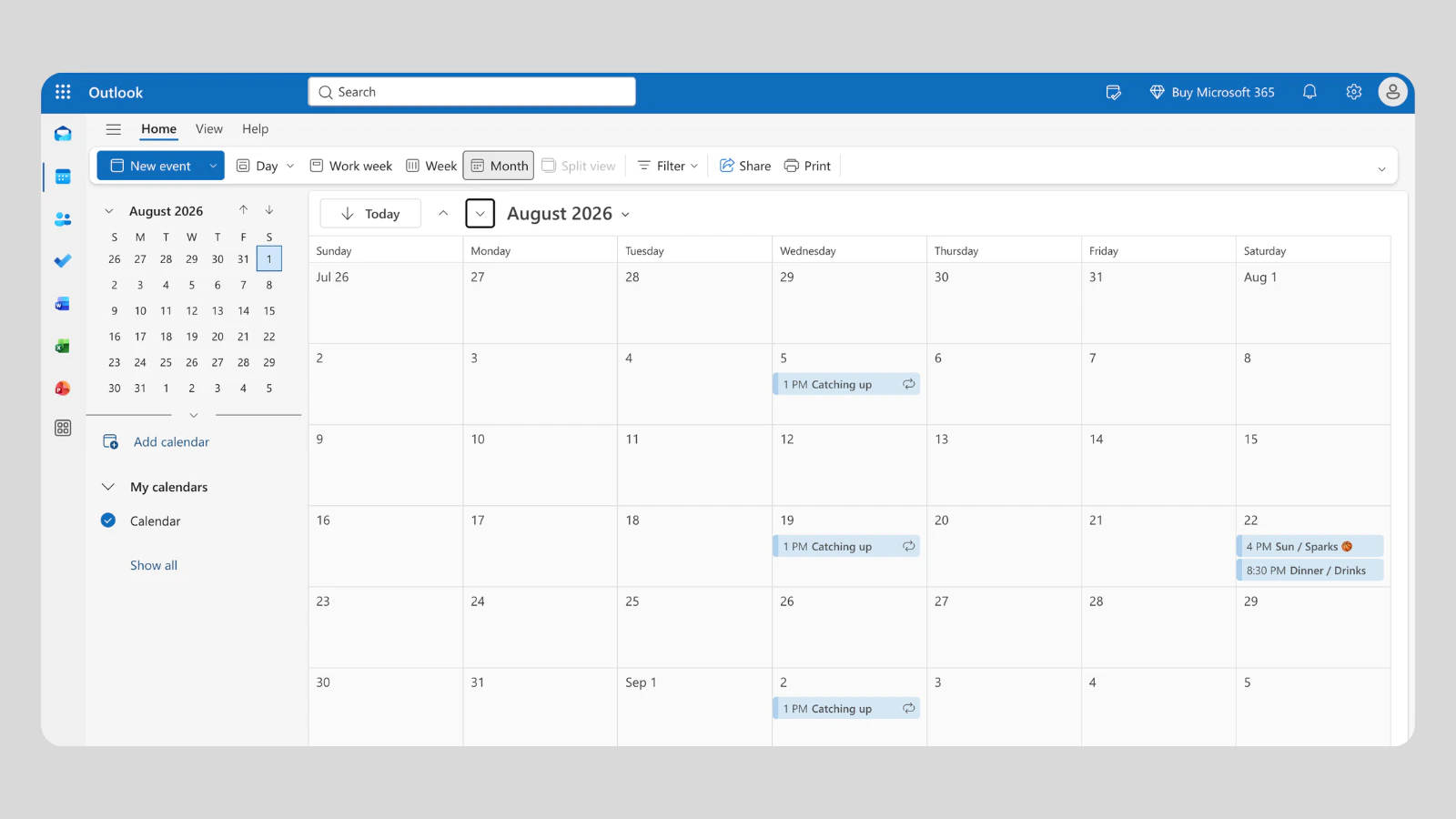
Outlook is the only app on this list with a real native application on every desktop as well as every phone. If your day is split between a Windows machine at work and a Mac at home, nothing else here gives you the same window in both places. Sharing is granular in the way work calendars need to be: you can let someone see only your busy times, see titles and locations, see everything, or edit on your behalf.
You can also share a calendar with someone outside your organisation by link, which is more than Google's personal sharing does gracefully, and the calendar sits next to your email, which for a lot of people is where scheduling actually happens.
What it isn't is social. Outlook shares calendars between people who work together. It has no notion of a friend group, no availability browsing across people you're not in a tenant with, and its whole vocabulary, from delegates to free/busy, is office vocabulary. Using it to plan a weekend is possible and slightly joyless.
Key features
- Native apps on Windows, Mac, iPhone, iPad and Android
- Fine-grained sharing permissions, including delegate access
- Share a calendar by link with people outside your organisation
- Calendar and email in one place
- Connects to Google Calendar and iCloud accounts
Pros
- The best desktop coverage of any app here
- The most granular sharing permissions on this list
- Free with a Microsoft account, no Microsoft 365 needed
- Holds your other calendar accounts alongside it
Cons
- Work-shaped, and it never stops feeling like it
- No social layer: no friend availability, no plans to join
- Heavier than anything else here
- Family use means a separate Microsoft family setup
- Platforms
- iPhone, iPad, Android, Mac, Windows, Web (outlook.com)
- Pricing
- Free with a Microsoft account. Microsoft 365 adds storage and Office apps, not calendar sharing.
How to choose
Find your situation rather than the highest score:
- A friend group. SoKal or Howbout. Howbout if your friends are already there and you only plan from a phone; SoKal if you want the sharing to live in your actual calendar and be open on your laptop too.
- A couple. Raft, which is built for exactly this, or Apple Calendar, if you're both on iPhone. Either one is out if one of you is on Android.
- A family with kids. Cozi. The lists and the meal plan are why it sticks when a pure calendar doesn't. TimeTree is the better pick if you want the discussion attached to each event.
- A mixed iPhone and Android group. Rule out Apple Calendar and Raft immediately; both are Apple-only. Google Calendar, Outlook, TimeTree, Howbout and SoKal all work across both. There's a longer section on mixed groups below.
- You want it on your laptop too. Outlook for native apps everywhere, Google Calendar or TimeTree in a browser, or SoKal, whose web calendar installs as a desktop app.
- You want to share some things and not others. SoKal or Raft, which both share per event. Google lets you mark a single event Private, but that hides it from everyone. To choose friend by friend, Google and Apple make you split calendars.
If there's one thing worth taking from all of this, it's that the app matters less than whether the people you want to see are in it. Pick the one your group will actually open, and check that it runs on every device those people use, because a shared calendar that only two of five friends can open isn't shared.
Sharing a calendar between iPhone and Android
A mixed group is the hardest case on this page, and it has a short answer: Apple Calendar is out.
iCloud shared calendars have no Android app. Share an iCloud calendar privately and the person on the other end needs an Apple Account and iCloud to accept it, which an Android friend doesn't have. The one thing they can be given is a public link, which they can look at and nothing more. So a mixed group has two honest options: everyone moves to a calendar that exists on both platforms, or somebody gets left out.
Of the eight apps above, Raft is the other one to rule out right away, because it's iPhone only. Everything else here runs on both phones, and the real differences are about where else it runs.
- Phone only. Howbout has an iPhone app and an Android app and nothing else, so a mixed group can use it, but nobody can plan from a laptop.
- Phone and browser. Google Calendar, TimeTree and Cozi cover both phones and work in a browser, with no native desktop app. For most mixed groups that's enough.
- Phone, browser and desktop. Outlook adds native apps on Windows and Mac. SoKal has a Mac app, and its web calendar installs from the browser on Windows.
One more thing to check before you pick: does everyone need an account? For a shared calendar in any of these apps, yes. Each person signs in to the same service, and that's the step a group most often stalls at.
SoKal's approach, and I built it, is to leave both sides where they are. iPhone users keep Apple Calendar, which SoKal syncs with on iPhone, iPad and Mac. Android users connect Google Calendar, which syncs both ways from the phone or the browser. Anyone invited to a specific plan RSVPs from a link with no app and no account, so the friend who won't install anything is still in the group.
For the step by step on the free routes, including the exact menus in Google Calendar and iCloud, see how to share a calendar between iPhone and Android.
Common questions
What's the best free shared calendar app?
SoKal and Google Calendar are the two genuinely free options here with no ads and no feature paywall. Google Calendar is the better pick if you only need to share with people who already use it; SoKal is better if you want to share some events and keep the rest private. TimeTree and Cozi are also free to use, but both show ads on their free tiers.
Can I share a calendar between iPhone and Android?
Yes, but not with Apple Calendar. iCloud shared calendars have no Android app, so an Android friend can only subscribe to a read-only public link. Google Calendar, Outlook, TimeTree, Howbout and SoKal all have real apps on both platforms, so any of those works for a mixed group. Step by step for every route is at sokal.app/blog/how-to-share-calendar-iphone-android.
Is there a shared calendar app with a web and desktop version?
Yes. Outlook Calendar has native apps on both Windows and Mac, Google Calendar, TimeTree and Cozi all run in a browser, and SoKal's web calendar installs as a desktop app on Windows. Howbout and Raft are phone only, with nothing on a desktop or in a browser, so rule those two out if your group plans from a laptop.
How do I share my calendar with friends without showing everything?
Use an app that shares one event at a time. SoKal and Raft both let you pick individual events to share and keep everything else private. Google Calendar's option is to mark single events Private, so anyone you've shared with below "Make changes and see event details" sees them only as Busy. That hides an event from everyone, though, and it's opt-out, so you can't choose friend by friend. Apple Calendar shares whole calendars, so there the workaround is a second, separate calendar for shareable events.
What's the best shared calendar app for couples?
Raft is built specifically for couples and a few close friends, and it lets you share individual events out of the calendar already on your iPhone, though it is iPhone only so you both need one. If you are both on iPhone and want no setup at all, an iCloud shared calendar does the job for free. SoKal works too, and adds a web version if one of you plans from a laptop.
What's the best shared calendar app for families with kids?
Cozi, because the shared shopping lists, to-do lists and meal planner are usually what keeps a family app in use once a pure calendar has been abandoned. TimeTree is the better choice if you want a discussion thread attached to each event, and Apple Calendar's Family Sharing is the fastest to set up if every device in the house is an Apple device.
Try the social calendar on every device
SoKal is free. Open it in your browser, or install it on your phone, and see who's free this weekend.