
SoKal for ChatGPT: The Shared Calendar for Friends
ChatGPT calendar integration
SoKal is a shared calendar for you and your friends. Add it to ChatGPT as a custom MCP server and you can ask about your week, see what friends are up to at the detail they share, find a time and make plans. Start your prompt with @SoKal.
Connect ChatGPT to my calendar
You need a SoKal account (free, in the app or at sokal.app) and a paid ChatGPT plan, Plus or higher. ChatGPT's Free and Go plans can't add custom MCP servers. Set it up on a computer.
- Open ChatGPT and click Plugins in the left sidebar.
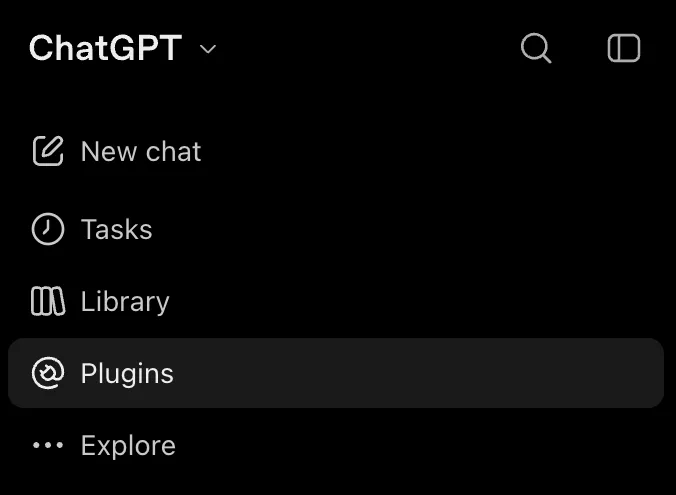
Plugins, in the left sidebar. - In the top right, click Add, then Add custom MCP server.
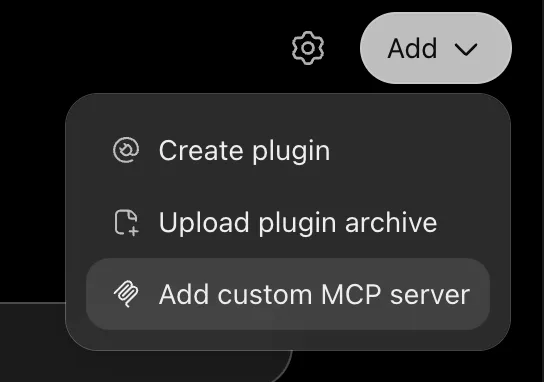
Add, then Add custom MCP server. - Name it SoKal and enter
https://mcp.sokal.app/as the server URL. Tick I understand and want to continue, then choose Create as a plugin. You don't need to change anything else.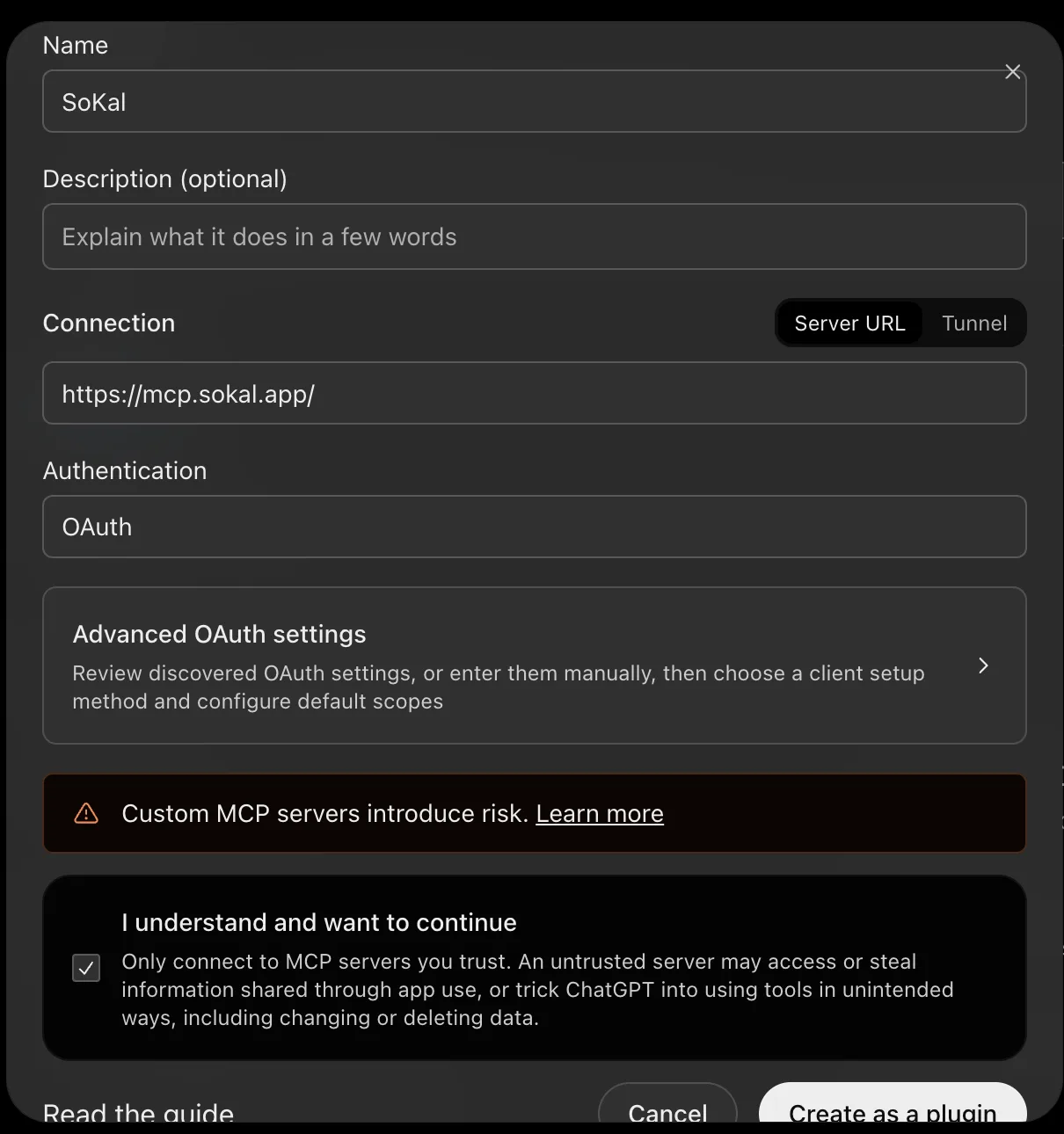
The name, the server URL, and the box ticked. Leave everything else as it is. - Choose Connect SoKal and sign in to SoKal with your phone number, with Google, or with your email and password. Signed up with Apple? Apple sign-in isn't on this page, so first verify your phone number in the SoKal app (your profile, then Edit profile, then Phone numbers), then sign in here with that number.
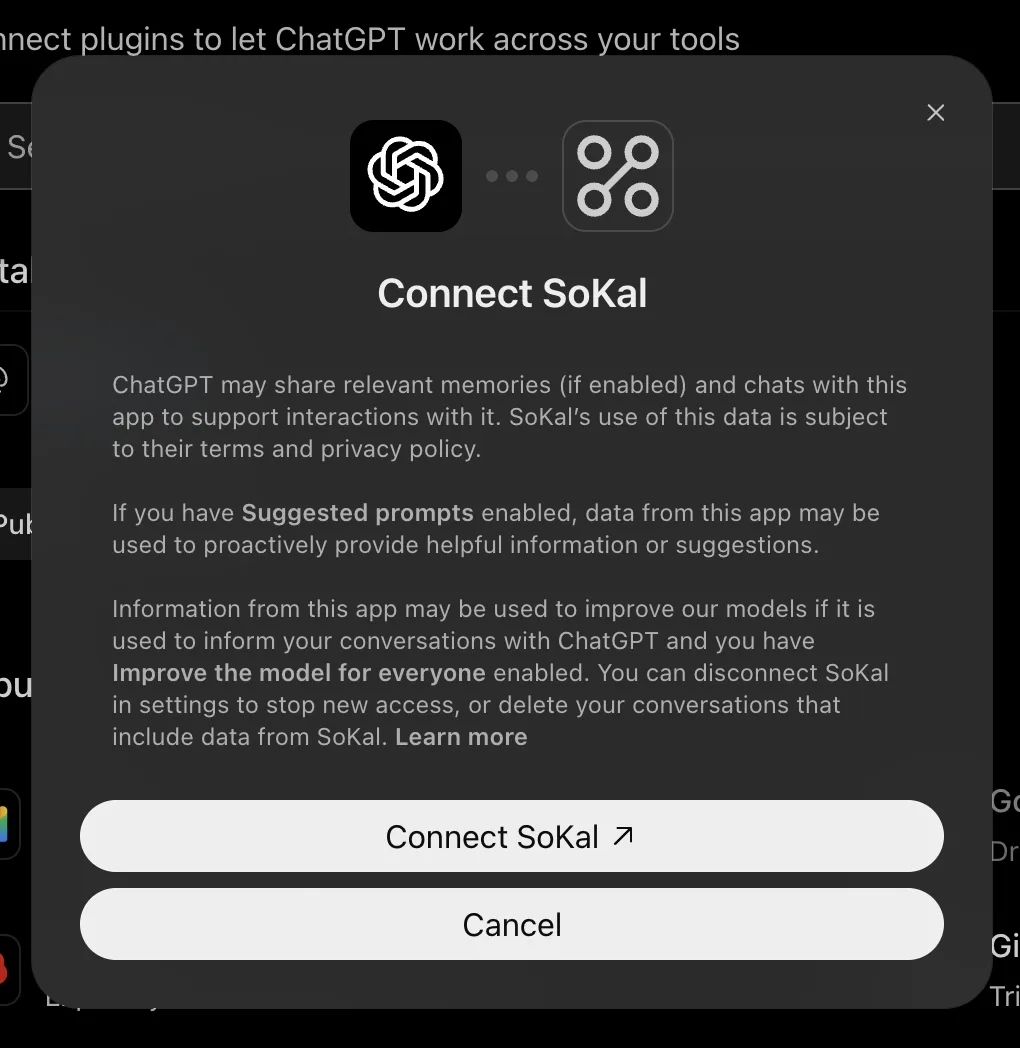
Connect SoKal, then sign in to SoKal. - Choose View and edit (or View only), then Allow.
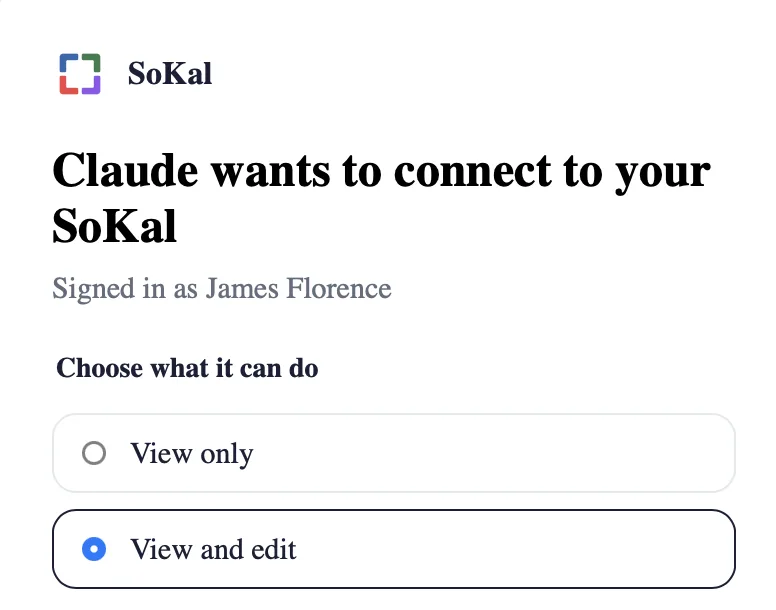
The same SoKal screen appears for ChatGPT, with ChatGPT's name at the top. - Start your prompt with @SoKal and ask ChatGPT anything about your calendar.
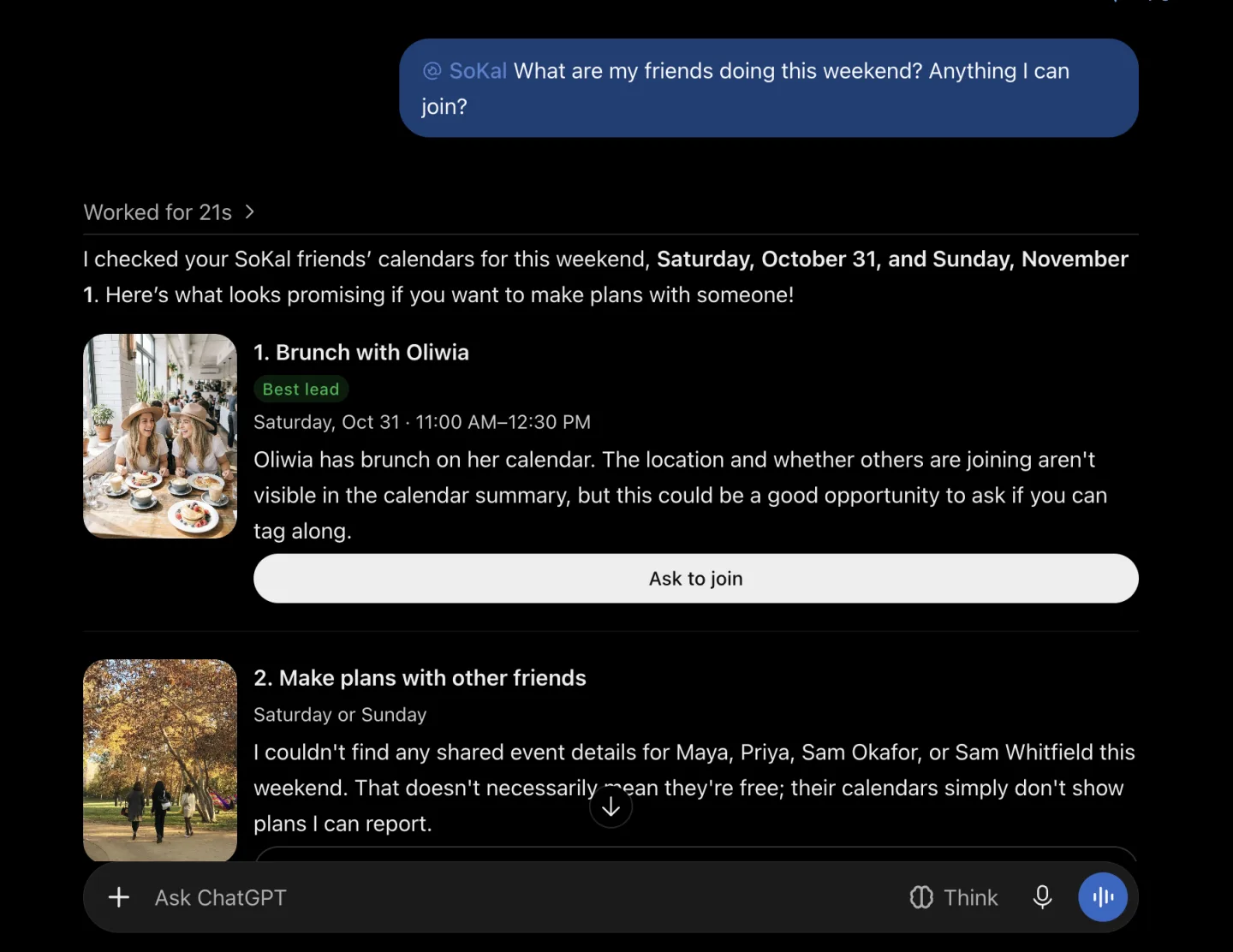
Start with @SoKal and ask.
Something wrong, a wrong answer, or something more you'd like it to do? Email team@sokal.app.
Things to ask ChatGPT
- "@SoKal What are my friends doing this weekend?"
- "@SoKal What's on my calendar this week?"
- "@SoKal When can Maya and I get dinner next week?"
What ChatGPT can't do with SoKal
- See details your friends don't share with you. Those show as "Busy".
- See the details of your friends' Google Calendar or Outlook events. Those always show as "Busy".
- Invite anyone who isn't your friend on SoKal, or text phone numbers.
- Delete anything or tell anyone without asking you first.
Disconnect
In ChatGPT, open Plugins, choose SoKal and disconnect it. You can also remove it from Connected apps in SoKal's settings on the web, which ends its access straight away.
Using Claude or Gemini instead? See SoKal for Claude or SoKal for Gemini. Our Privacy Policy explains what a connected assistant can see and what we keep.