
Best Shared Calendars That Work With Claude (2026)
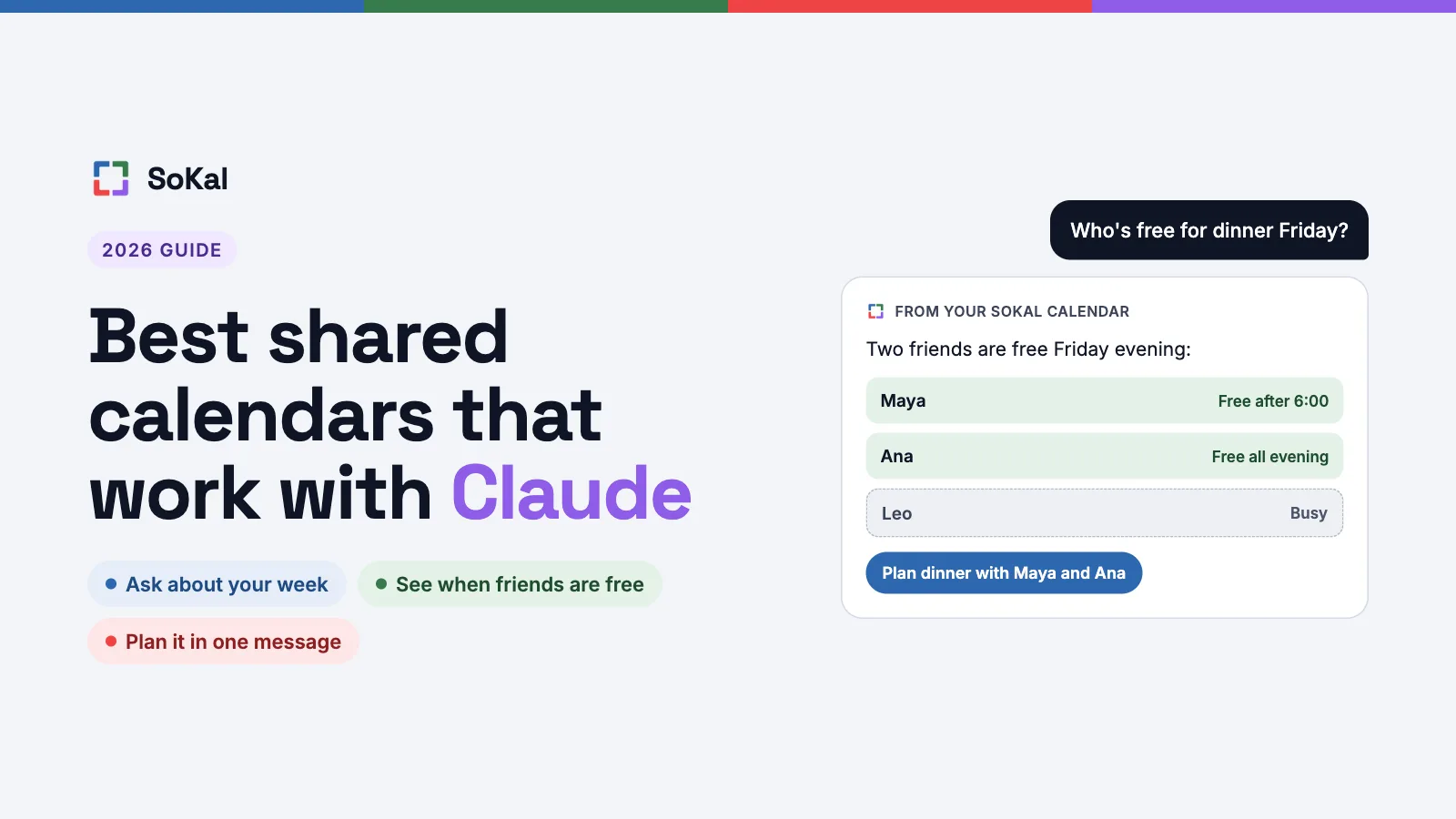
Claude can connect to your calendar now. You add a connector, sign in, and Claude can answer questions about your schedule. Some connectors can also add events for you.
Most calendar connectors are built for work. They're good at meetings, availability and getting ready for the day. If you want Claude to plan something with your friends, the options get thin.
This list covers five calendar apps that work with Claude and what each one is best for. One note first: SoKal is our app. I'm James, and I build it. It's here for one job, which is plans with friends. For work, the others are better, and each section says so.
Quick picks
| App | Best for | Works with Claude via |
|---|---|---|
| Google Calendar | Work | Connector in Claude's directory, made by Google |
| Microsoft 365 / Outlook | Microsoft shops | Connector in Claude's directory, made by Anthropic |
| Fantastical | Apple power users | Connector in Claude's directory, made by Flexibits, Mac desktop app only |
| Calendly | Booking links | Connector in Claude's directory, made by Calendly |
| SoKal | Plans with friends | Connector in Claude's directory, made by SoKal |
The one-prompt test
Here's the request we use to compare them. It's the kind of plan friends actually make.
"I'm hosting a beach day with 5 friends next Saturday. Find a time that works for everyone, pick a beach near Santa Monica, and invite them."
That one sentence asks for three things. Claude has to know when your friends are free, find a real place, and get the invite to the people on it. Below is what each connector is built to do, going by its own docs.
- Google Calendar. Built to find mutual availability across attendees and create the event on your calendar.
- Microsoft 365 / Outlook. With a work or school account, built to find meeting times and, once your admins turn on write actions, create the event. Microsoft 365 then sends attendees the invitation. A personal account can't find times when other people are free.
- Fantastical. Built to find open time on your own calendar. It runs only in Claude's Mac desktop app.
- Calendly. Built to find your open slots, create booking links, and book or cancel meetings.
- SoKal. Checks you and up to five friends at once and suggests times you're all free. Finds the beach on Google Maps. Drafts one event with the time, the beach and who gets invited, and sends the invites in SoKal once you say yes. Claude can't invite a friend who isn't on SoKal yet. For them, it gives you your invite link and a short message, and you send it yourself.
1. Google Calendar: best for work
Google Calendar's connector is in Claude's directory, made by Google, and it's available to all Claude users. Claude can search your events, check your availability and find time that works across the people on a meeting. It can also create, update and delete events and respond to invitations. On Team and Enterprise plans, an Owner turns it on for the organization first.
Best for: work calendars, meetings and finding time with colleagues on Google.
Not great for: plans with friends. Claude works with the one Google account you connected, and it doesn't know who your friends are.
2. Microsoft 365 / Outlook: best for Microsoft shops
Anthropic makes the Microsoft 365 connector, and it works on every Claude plan. With a work or school account, Claude can find meeting times. Once your admins turn on write actions, it can also create, update and delete events. Microsoft 365 sends attendees the invitation itself. Access is read-only until write tools are on.
Best for: teams that already run on Outlook and Microsoft 365.
Not great for: personal calendars. With a personal Outlook.com account, Claude can't see shared calendars or find times when other people are free.
3. Fantastical: best for Apple power users
Flexibits makes Fantastical's connector. It works in Claude's desktop app on a Mac, with Fantastical 4.1.10 or later. Claude can find open time on your calendar, read your events and tasks, create new ones, make basic edits and delete items. You can set each tool to ask for your approval every time.
Best for: Mac users who already keep their life in Fantastical.
Not great for: anyone off the Mac. The connector only runs in Claude's Mac desktop app.
4. Calendly: best for booking links
Calendly makes its own connector. Claude can find your open slots, create booking links, book or cancel meetings, and change your availability and event types. A booking made through Claude sends the same notifications and calendar invites as one made in Calendly. You don't need a paid Calendly plan to connect, though some actions depend on your plan.
Best for: letting other people book time on your calendar.
Not great for: casual plans with friends. Sending your friends a booking link for a beach day is a lot of process.
5. SoKal: best for plans with friends
SoKal is a shared calendar for friends. Its Claude connector knows who your friends are and what each one shares with you. Claude can find a time for you and up to five friends, look up a real place on Google Maps, and plan the event with your friends invited. Anything that tells someone else comes back as a summary first, and nothing goes out until you say yes.
Claude only invites people who are your friends on SoKal, and it never texts anyone. A friend's plans show at the detail that friend shares with you. Everything else shows as Busy.
Best for: plans with friends, like dinners, trips and a beach day.
Not great for: work scheduling and meeting-heavy calendars. Claude can't change events you synced in from Google Calendar or Outlook.
How to connect SoKal to Claude
SoKal is in Claude's connector directory. Open SoKal's listing, click Connect to Claude, sign in to SoKal and choose View only or View and edit. It takes about two minutes.
Step by step, with screenshots: how to connect Claude to a shared calendar. Comparing shared calendars in general? See the best shared calendar apps.
Plan your next day out in Claude
SoKal is free. Make your account, add a few friends, then connect it to Claude.


Setting it up? See SoKal for Claude, or download SoKal for every device.