TimeTree Alternative: SoKal vs TimeTree
The short answer
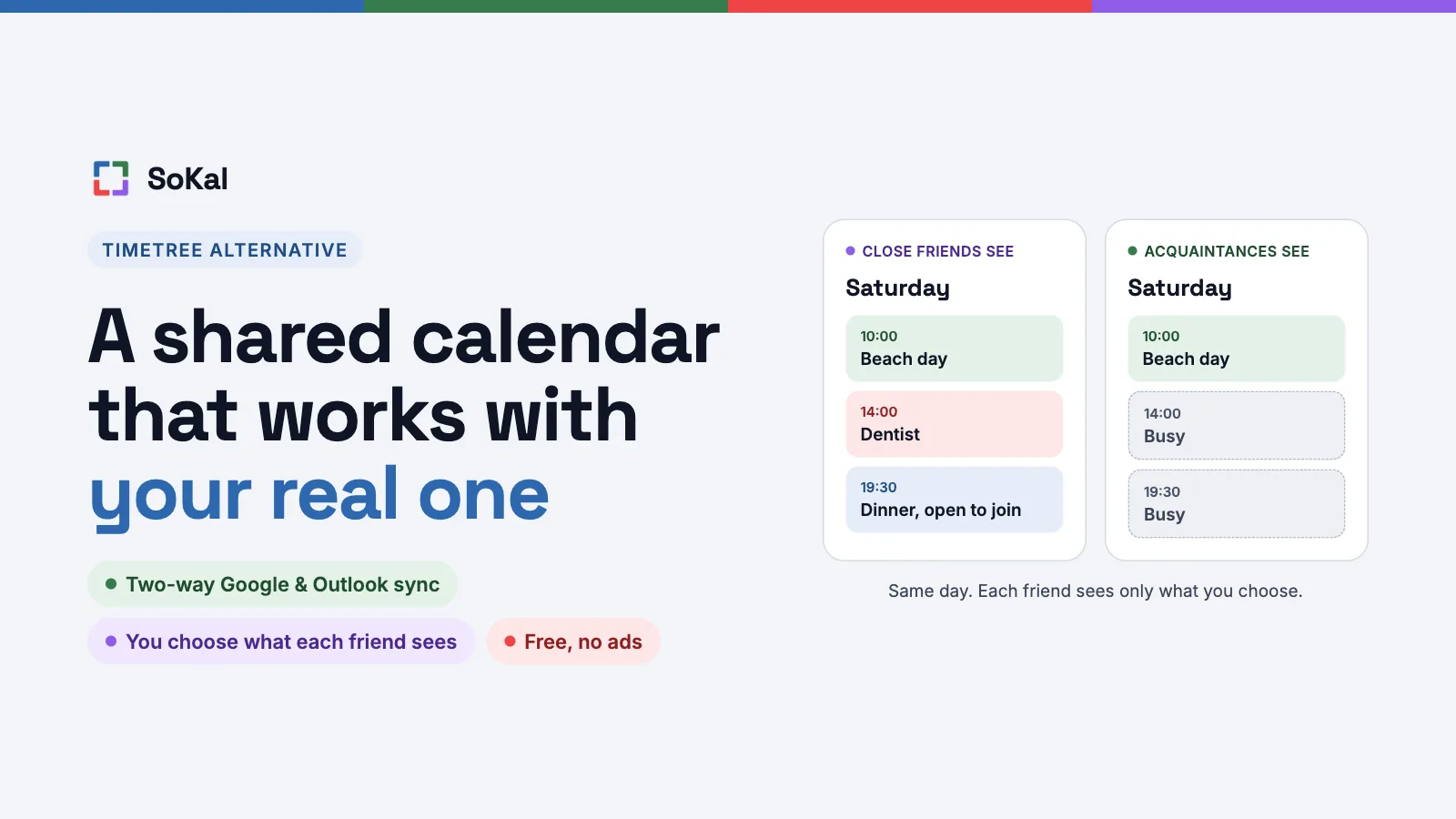
If you want one calendar that your whole household or club edits together, stay with TimeTree. That's what it's built for, and it does it well. If you want your own calendar, synced with Google Calendar or Outlook, where friends see only what you choose and you can tell when they're free, try SoKal. It's free and has no ads.
TimeTree has earned its place. It says more than 75 million people use it, and it's rated 4.9 on the US App Store (November 2026). I built SoKal, so weigh my take with that in mind. The section on when TimeTree is the better pick is there because it often is.
| Feature | TimeTree | SoKal |
|---|---|---|
| Price | Free with ads. TimeTree Premium removes them: $4.49 a month or $44.99 a year on the US App Store | Free, with no ads and no subscription |
| One calendar a group edits together | Yes, the heart of the app | No. Everyone keeps their own calendar and chooses what each friend sees |
| Google Calendar and Outlook | Shows events from a calendar on your phone, such as Google Calendar | Syncs both ways with Google Calendar and Outlook; Apple Calendar through the iPhone app |
| Chat on events | Yes, a thread on every event | No, emoji reactions only |
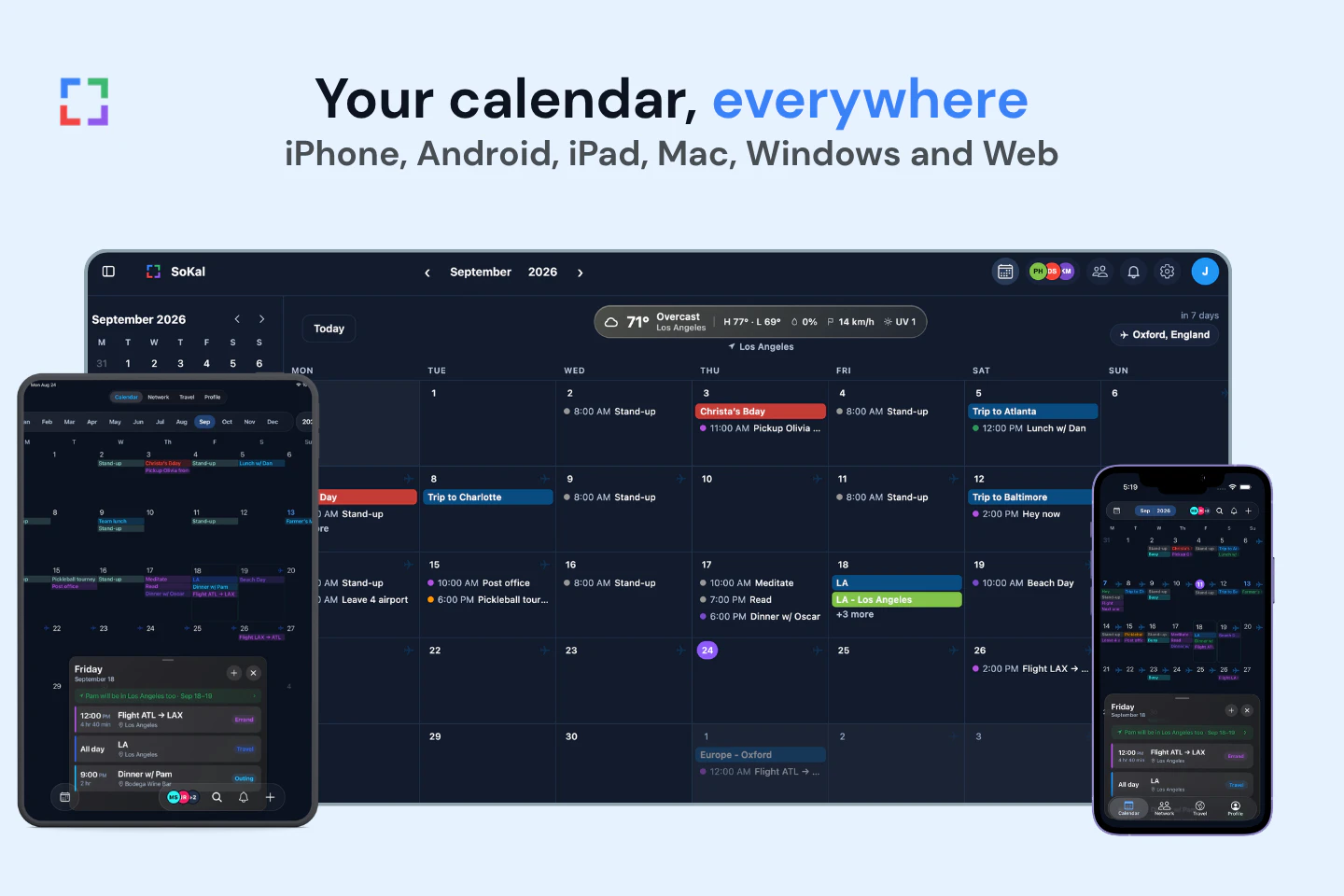
| Platforms | iPhone, Android, web, Apple Watch | iPhone, iPad, Android, Mac, Windows, web |
Works with the calendar you already use
Most people who try TimeTree already keep a calendar somewhere else, often for work. SoKal is built on top of that calendar, so you don't keep two.
- Google Calendar and Outlook sync both ways. The events you already have show up in SoKal, and events you add in SoKal show up there.
- Apple Calendar comes in through the SoKal app on iPhone. Writing SoKal's events back to Apple Calendar only partly works so far: it happens from one of your devices, and not every kind of event goes back yet.
- Google Meet can be added to an event once your Google Calendar is connected.
TimeTree can show events from a calendar on your phone, such as Google Calendar, next to its own shared calendars.
You choose what each friend sees
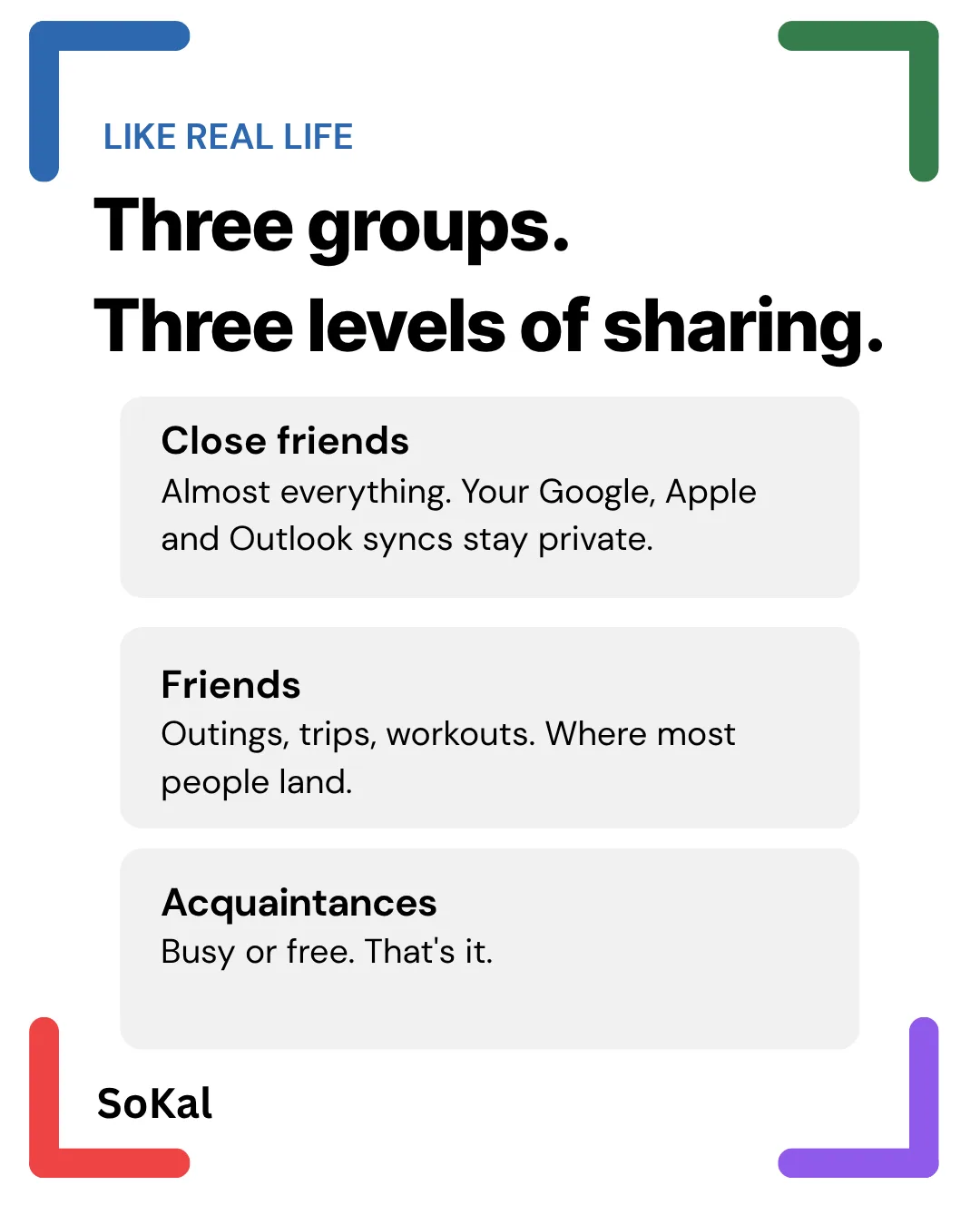
In SoKal you sort friends into three groups: Close friends, Friends and Acquaintances. For each group you pick which kinds of plans it sees, like outings, trips or workouts. Anything a friend isn't shown appears as Busy, or not at all. And any single event can be made more private or more open than its group's setting.
So a coworker can see you're busy Thursday night without seeing where you'll be, and your close friends can see the whole trip.
See when friends are free or in town
Since your friends' plans sit next to yours, SoKal can answer the questions that usually take a group chat:
- Who's free? Your friends' plans show on your own calendar, so a night you're all free is easy to spot. If you use Claude, it can find a time with friends for you through SoKal's connector.
- Who's in town? When a friend's trip brings them to your city, SoKal lets you know.
- Who wants to come? Mark a plan Open to join, and the nearby friends you pick get a notification and can join it.
You can also invite anyone to a plan by text, WhatsApp or a link, and they can RSVP without the app.
Free, no ads
SoKal is free on every platform, with no ads and no subscription. TimeTree is free too, with ads. TimeTree Premium removes the ads for $4.49 a month or $44.99 a year on the US App Store (November 2026), and TimeTree says prices can vary by region. Premium also adds attachments, pinned events and a 3-day view, so for some people it's worth the money. If the ads are what bother you, here's more on TimeTree's ads and a calendar with none.
When TimeTree is the better pick
Pick TimeTree, or stay with it, if one of these is you:
- A household or club needs one calendar everyone edits. This is the core of TimeTree, and SoKal doesn't have it. In SoKal, each person keeps their own calendar.
- You want to talk plans through on the event. Every TimeTree event has its own chat. SoKal has emoji reactions and nothing more.
- You want memos, to-dos and photo albums in the same app. TimeTree has all three.
- You follow schedules in TimeTree's Public Calendars.
- You want your calendar on your wrist. TimeTree has an Apple Watch app. SoKal doesn't.
This is the same advice as in my Howbout alternatives post: for one shared calendar a whole club or household edits, use TimeTree. You can also use both: TimeTree for the family calendar and SoKal for plans with friends. And if everyone you plan with already uses Google Calendar, sharing one there is free, so here's how Google Calendar sharing works.
Moving your events over
What comes over depends on where your events started.
Events in Google Calendar, Outlook or iPhone Calendar come over as soon as you connect that calendar to SoKal. If you copied them into TimeTree from there in the first place, there's nothing else to move. In the app, connect them under Profile › Calendar sources. On the web, it's Settings › Calendar sources.
Events you made only in TimeTree need adding again. I couldn't find an official way to export them from TimeTree's app or website. If TimeTree adds one, I'll update this post.
If you have an .ics calendar file, SoKal can import it, and you check every event before anything is added.
- In the app: open Profile, then Calendar sources. Under Import, tap Import .ics file and choose the file. Check the events, then tap Add (the button shows how many).
- On the web: open Settings, then Calendar sources. Under Import, choose Import schedule files, then Import a file, and pick the .ics file. Check the events, then choose Add (the button shows how many).
Common questions
Is SoKal a good TimeTree alternative?
For plans with friends, yes. SoKal syncs both ways with Google Calendar and Outlook, you choose what each friend sees, and it's free with no ads. For one calendar a whole household or club edits together, no: TimeTree does that and SoKal doesn't. I built SoKal, so weigh that.
Can I move my TimeTree events to SoKal?
Partly. Events that are also in Google Calendar, Outlook or iPhone Calendar come over when you connect that calendar to SoKal. I couldn't find an official way to export events that exist only in TimeTree, so those need adding again. If you have an .ics file, import it in the app under Profile, Calendar sources, Import .ics file, or on the web under Settings, Calendar sources, Import schedule files.
Does SoKal have a shared calendar like TimeTree's?
Not the same kind. In SoKal everyone keeps their own calendar and shares events with friends, choosing what each group of friends sees. There's no single calendar a group edits together. If that's what you need, TimeTree is the better pick.
Is SoKal free?
Yes. SoKal is free on iPhone, iPad, Android, Mac, Windows and the web, with no ads and no subscription.
Does SoKal work with Google Calendar and Outlook?
Yes, both ways. Events you already have show up in SoKal, and events you add in SoKal show up in Google Calendar or Outlook. Apple Calendar works through the SoKal app on iPhone.
Try SoKal with the calendar you already have
SoKal is free. Connect Google Calendar or Outlook and your events are there from the start.