
Why Voice Belongs in a Shared Calendar for Friends
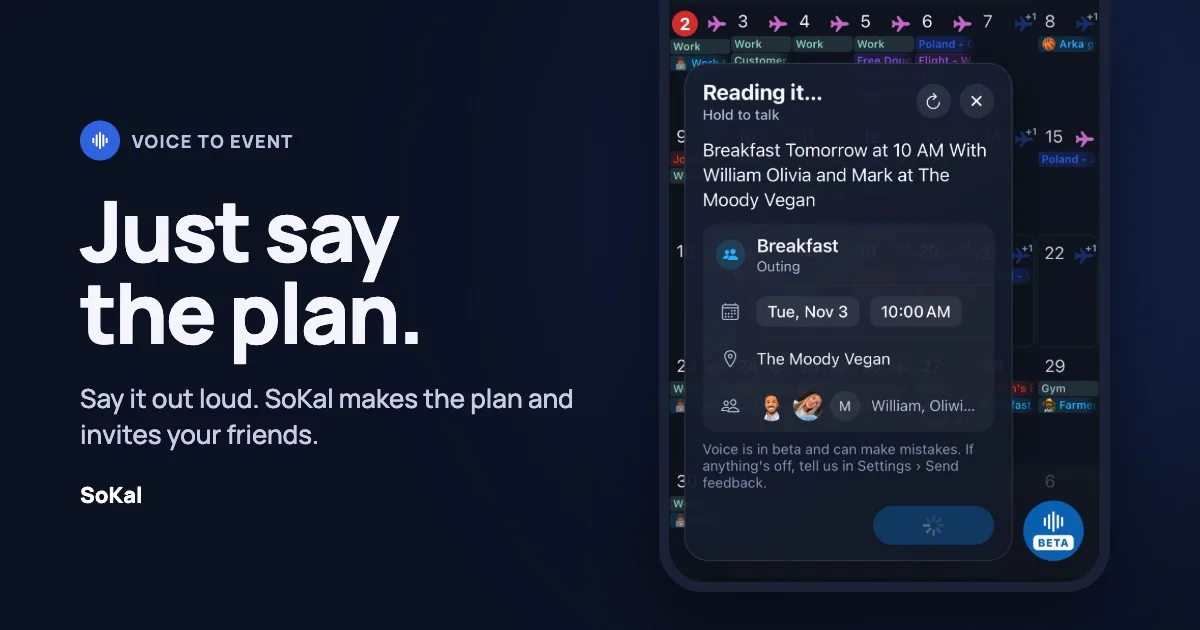
Most plans with friends start as something you say. "Beach day Saturday, who's in?" "Coffee this week?" Nobody opens a form, picks a start time, scrolls for an end time and types in five names before sending that text.
That's why I built voice into SoKal. Hold the button, say the plan the way you'd say it to a friend, and SoKal turns it into an event with the right people on it. It takes a few seconds.
Talking is how plans already happen
Calendars were designed for meetings. You fill in a title, a start, an end, a location and a list of attendees. That works for a quarterly review. For breakfast, it's a lot of friction.
Social plans are loose. They have a who, a rough when, and maybe a where. "Breakfast tomorrow at 10 with William, Olivia and Mark at The Moody Vegan" carries all of it in one breath. Saying it takes about five seconds. Building the same event by hand takes a minute of tapping, and that minute is often where the plan dies.
Voice also fits how you actually use your phone. You're walking, driving, or halfway through a group chat. Speaking is faster than typing, and a lot faster than filling out a form.
The difference is who's on the other end
Fantastical deserves credit here. Its natural language input has been great for years, and it can add invitees from your contacts when you type "with" and a name. Those invites go out as calendar emails to people in your address book. The app is built around your schedule.
SoKal is built around your friends. They're in the app with you, so a plan reaches them as a push notification, shows up on their calendar, and takes one tap to join. When you say "with Maya," SoKal knows which Maya, because she's your friend on SoKal and not a contact card.
A personal calendar can't get there by adding a microphone. Voice is only as useful as what it's connected to. Connect it to a calendar your friends share, and it starts making plans happen.
What works today
Voice is in beta, and it's early. The results so far are better than I expected. Here's what you can do right now:
- Make a plan with friends. "Breakfast tomorrow at 10 with William, Olivia and Mark at The Moody Vegan." They get the invite.
- Set something that repeats. "Standup every Tuesday from 7:30 to 8" or "customer meeting every Monday and Wednesday at 9."
- Change a plan. "Push breakfast back an hour." SoKal finds it and moves it.
- Delete a plan. "Cancel breakfast tomorrow." Gone.
Before anything saves, you see a card with what SoKal heard, so you can fix a name or a time first. If it gets something wrong, tell me in Settings > Send feedback. Every correction makes it better.
Where it's going
The next two things I'm building use the same voice button.
Open plans. Say "Beach day Saturday, anyone around can come." Friends whose calendars put them in the same city get a ping that you're heading to the beach, and they can tap to join.
Asking a friend when they're free. Say "Coffee with Maya, any time Tuesday to Friday." Maya gets a notification that you want to grab coffee and you're free Tuesday through Thursday, since Friday's already booked. She picks a time, and it lands on both calendars.
Neither one needs a new kind of app. SoKal already knows your friends, when you're both free, and where your calendar says you'll be. Voice makes it take seconds.
Try it
Voice is live in SoKal now, in beta. Download the app, add a few friends, and say your next plan out loud. A shared calendar for friends should be the fastest way to get people together, and talking is the fastest way to start.
If it gets something wrong, I want to hear about it.